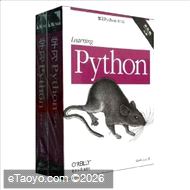
《学习Python(第5版)(影印版)(套装共2册)》将让你获得针对核心Python语言的一次全面而又深入的介绍。基于作者Mark Lutz的畅销培训课程,该第五版修订本将可以帮助你快速使用Python编写高效和高质量的代码。无论你是编程新手还是精通其他语言的有经验的开发人员,此书都适合于你。
编辑推荐
《学习Python(第5版)(影印版)(套装共2册)》通过小测验、练习和有效的讲解,这本易于遵循、自学的教程可以让你上手Python2.7和Python3.3——3.x和2.x产品线上的最新发布版本一一以及目前其他常见的版本。你也将学到一些最近在Python代码中越来越常见的高级语言特性。 作者简介
作者:(美国)鲁特兹(Mark Lutz)
鲁特兹(Mark Lutz)是世界级的Python培训讲师。他是最早和最畅销Python书籍的作者。从1992年起,他就是Python社区的先锋。Mark拥有30年的软件开发经验,他是O'Reilly出版社的《Python编程》(第四版)和《Python Pocket Jleference》(第四版)的作者。 目录
Preface
Part I. Getting Started
1. A Python Q&A Session
Why Do People Use Python?
Software Quality
Developer Productivity
Is Python a "Scripting Language"?
OK, but What's the Downside?
Who Uses Python Today?
What Can I Do with Python?
Systems Programming
GUIs
Internet Scripting
Component Integration
Database Programming
Rapid Prototyping
Numeric and Scientific Programming
And More: Gaming, Images, Data Mining, Robots, Excel
How Is Python Developed and Supported?
Open Source Tradeoffs
What Are Python's Technical Strengths?
It's Object-Oriented and Functional
It's Free
It's Portable
It's Powerful
It's Mixable
It's Relatively Easy to Use
It's Relatively Easy to Learn
It's Named After Monty Python
How Does Python Stack Up to Language X?
Chapter Summary
Test Your Knowledge: Quiz
Test Your Knowledge: Answers
2.How Python Runs Programs
Introducing the Python Interpreter
Program Execution
The Programmer's View
Python's View
Execution Model Variations
Python Implementation Alternatives
Execution Optimization Tools
Frozen Binaries
Future Possibilities?
Chapter Summary
Test Your Knowledge: Quiz
Test Your Knowledge: Answers
3.How You Run Programs
The Interactive Prompt
Starting an Interactive Session
The System Path
New Windows Options in 3.3: PATH, Launcher
Where to Run: Code Directories
What Not to Type: Prompts and Comments
Running Code Interactively
Why the Interactive Prompt?
Usage Notes: The Interactive Prompt
System Command Lines and Files
A First Script
Running Files with Command Lines
Command-Line Usage Variations
Usage Notes: Command Lines and Files
Unix-Style Executable Scripts: #!
Unix Script Basics
The Unix env Lookup Trick
The Python 3.3 Windows Launcher: #! Comes to Windows
Clicking File Icons
Icon-Click Basics
Clicking Icons on Windows
The input Trick on Windows
Other Icon-Click Limitations
Module Imports and Reloads
Import and Reload Basics
The Grander Module Story: Attributes
Usage Notes: import and reload
Using exec to Run Module Files
The IDLE User Interface
IDLE Startup Details
IDLE Basic Usage
IDLE Usability Features
Advanced IDLE Tools
Usage Notes: IDLE
Other IDEs
Other Launch Options
Embedding Calls
Frozen Binary Executables
Text Editor Launch Options
Still Other Launch Options
Future Possibilities?
Which Option Should I Use?
Chapter Summary
Test Your Knowledge: Quiz
Test Your Knowledge: Answers
Test Your Knowledge: Part I Exercises
Part II. Types and Operations
4. Introducing Python Object Types
The Python Conceptual Hierarchy
Why Use Built-in Types?
Python's Core Data Types
Numbers
Strings
Sequence Operations
Immutability
Type-Specific Methods
Getting Help
Other Ways to Code Strings
Unicode Strings
Pattern Matching
Lists
Sequence Operations
Type-Specific Operations
Bounds Checking
Nesting
Comprehensions
Dictionaries
Mapping Operations
Nesting Revisited
Missing Keys: if Tests
Sorting Keys: for Loops
Iteration and Optimization
Tuples
Why Tuples?
Files
Binary Bytes Files
Unicode Text Files
Other File-Like Tools
Other Core Types
How to Break Your Code's Flexibility
User-Defined Classes
And Everything Else
Chapter Summary
Test Your Knowledge: Quiz
Test Your Knowledge: Answers
5. Numeric Types
Numeric Type Basics
Numeric Literals
Built-in Numeric Tools
Python Expression Operators
Numbers in Action
Variables and Basic Expressions
Numeric Display Formats
Comparisons: Normal and Chained
Division: Classic, Floor, and True
Integer Precision
Complex Numbers
Hex, Octal, Binary: Literals and Conversions
Bitwise Operations
Other Built-in Numeric Tools
Other Numeric Types
Decimal Type
Fraction Type
Sets
Booleans
……
6. The Dynamic Typing Interlude
7. String Fundamentals
8. Lists and Dictionaries
9. Tuples, Files, and Everything Else
Part III. Statements and Syntax 10. Introducing Python Statements
11. Assignments, Expressions, and Prints
12. If Tests and Syntax Rules
13. while and for Loops
14. Iterations and Comprehensions
15. The Documentation Interlude
Part IV. Functions and Generators 16. Function Basics
17. Scopes
18. Arguments
19. Advanced Function Topics
20. Comprehensions and Generations
21. The Benchmarking Interlude
PartV. Modules and Packages 22. Modules: The Big Picture
23. Module Coding Basics
24. Module Packages
25. Advanced Module Topics
Part VI. Classes and OOP 26. OOP: The Big Picture
27. Class Coding Basics
28. A More Realistic Example
29. Class Coding Details
30. Operator Overloading
31. Designing with Classes
32. Advanced Class Topics
Part VII. Exceptions and Tools 33. Exception Basics
34. Exception Coding Details
35. Exception Objects
36. Designing with Exceptions
Part VIII. Advanced Topics 37. Unicode and Byte Strings
38. Managed Attributes
39. Decorators
40. Metaclasses
41. All Good Things
Part IX. Appendixes A. Installation and Configuration
B. The Python 3.3 Windows Launcher
C. Python Changes and This Book
D. Solutions to End-of-Part Exercises
Index 文摘
版权页:
Python 2.x coverage here has been updated to include features such as dictionary and set comprehensions that were formerly for 3.X only, but have been back-ported for use in 2.7.
Python 3.x coverage has been augmented for new yield and raise syntax; the
__pycache_ bytecode model; 3.3 namespace packages; PyDoc's all-browser
mode; Unicode literal and storage changes; and the new Windows launcher shipped with 3.3.
Assorted new or expanded coverage for JSON, timeit, PyPy, os.popen, generators, recursion, weak references,_mro_,_iter_, super,_slots_, metaclasses, descriptors, random. Sphinx, and more has been added, along with a general increase in 2.x compatibihty in both examples and narrative.
This edition also adds a new conclusion as Chapter 41 (on Python's evolution), two new appendixes (on recent Python changes and the new Windows launcher), and one new chapter (on benchmarking: an expanded version of the former code timing example). See Appendix C for a concise summary of Python changes between the prior edition and this one, as well as links to their coverage in the book. This appendix also summarizes initial differences between 2.X and 3.X in general that were first addressed in the prior edition, though some, such as new-style classes, span versions and simply become mandated in 3.X (more on what the X's mean in a moment).
Per the last bullet in the preceding list, this edition has also experienced some growth because it gives fuller coverage to more advanced language features-which many of us have tried very hard to ignore as optional for the last decade, but which have now grown more common in Python code. As we'll see, these tools make Python more powerful, but also raise the bar for newcomers, and may shift Python's scope and definition. Because you might encounter any of these, this book covers them head-on, instead of pretending they do not exist.
Despite the updates, this edition retains most of the structure and content of the prior edition, and is still designed to be a comprehensive learning resource for both the 2.X and 3.x Python lines. While it is primarily focused on users of Python 3.3 and 2.7-the latest in the 3.X line and the likely last in the 2.X line-its historical perspective also makes it relevant to older Pythons that still see regular use today.
Though it's impossible to predict the future, this book stresses fundamentals that have been valid for nearly two decades, and will likely apply to future Pythons too. As usual, I'll be posting Python updates that impact this book at the book's website described ahead. The "What's New" documents in Python's manuals set can also serve to fill in the gaps as Python surely evolves after this book is published. | ISBN | |
|---|---|
| 出版社 | 东南大学出版社 |
| 作者 | 鲁特兹 (Mark Lutz) |
| 尺寸 | 16 |